Full Case Study
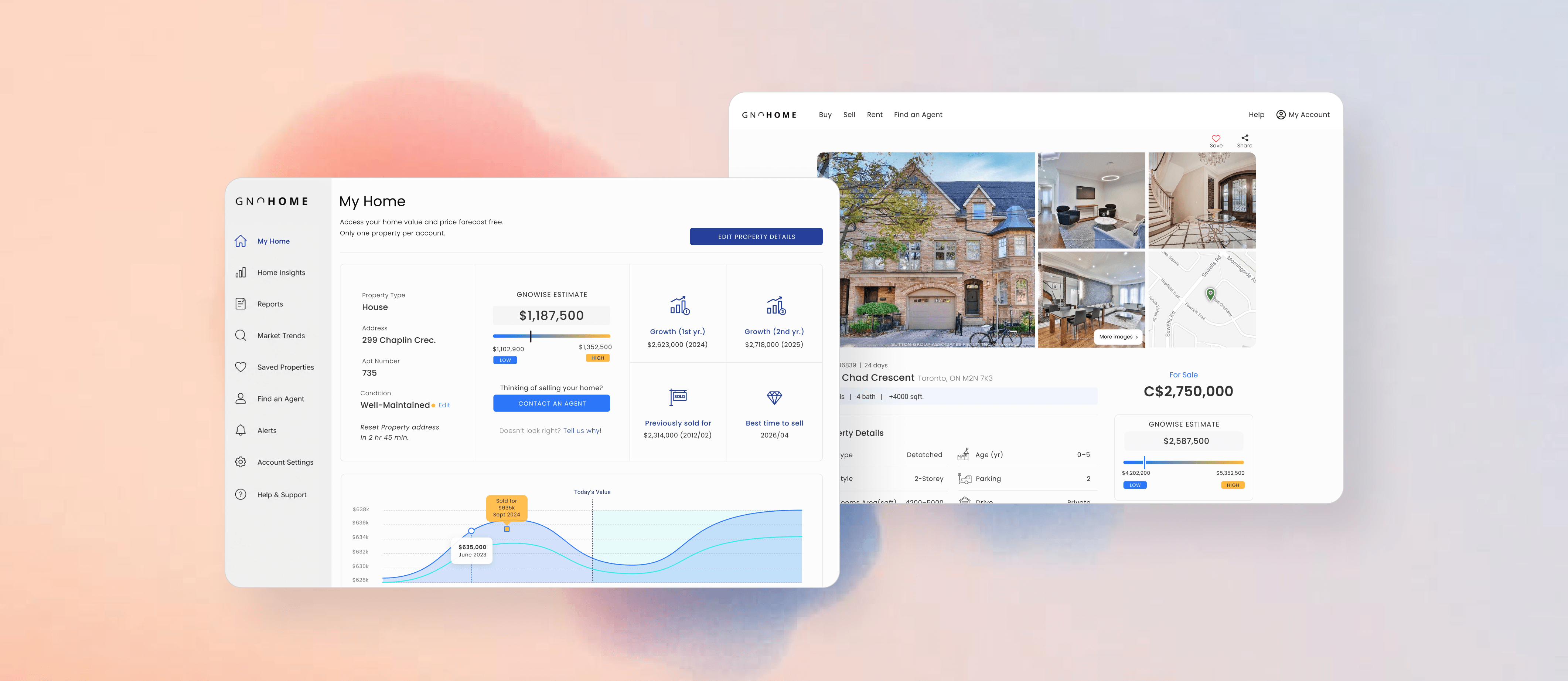
Gnohome
Redesigning Search for a Real Estate Marketplace Platform. A deep dive into the research, strategy, and design decisions that turned a cluttered, frustrating property search into a seamless, trust-building experience.
Role
Design Lead
×1
Product Manager
×2
Junior Product Designers
×1
Engineering Lead
×2
Front-end Developers
×2
Back-end Developers
×1
Data Analyst
My Role
Leading the Redesign, End to End
As Design Lead, I owned the design direction from the very first research question through to final handoff. I set the strategy, ran the process, and stayed accountable for the decisions, balancing what users needed against what the business and engineering could realistically support.
My contribution spanned scoping and leading the research with 150 participants, synthesising findings into a focused problem space, sequencing the design strategy around a hierarchy of user needs, and driving prototyping and usability testing. I partnered closely with product and engineering throughout, and pushed back with evidence when stakeholder requests risked the experience we were building.
I worked within a cross-functional team of nine, product, engineering, data, and design, keeping everyone aligned around a shared, research-backed view of the user.
Design Lead · Cross-Functional Team of 9
The Problem
A Platform That Worked Against Its Users
Gnohome came to us with a clear signal that something was broken. Despite steady traffic, conversion was stalling and users were leaving frustrated. The platform had been built around what the business needed to show, not around what a home seeker needed to find. The result was a search experience that felt opaque, generic, and untrustworthy.
Filters were too broad to be useful. Property listings lacked consistency, making it impossible to compare options with confidence. Navigation decisions felt arbitrary. And the inquiry process, the moment that should have felt like progress, created friction instead of trust. Users weren't failing because they didn't want to find a home. They were failing because the tool kept getting in the way.
The brief was direct: redesign the platform from the user's perspective. Understand how real people search for homes, what builds or destroys confidence during that process, and what it would take to turn a marketplace into a trusted guide.
01, Discovery
Bridging the Gap Between Data and Real User Needs
I framed Discovery around a single question: where does the gap sit between what the business assumed and how people actually search for a home? I led the research plan, aligning each activity to a strategic objective so the team wasn't collecting data for its own sake.
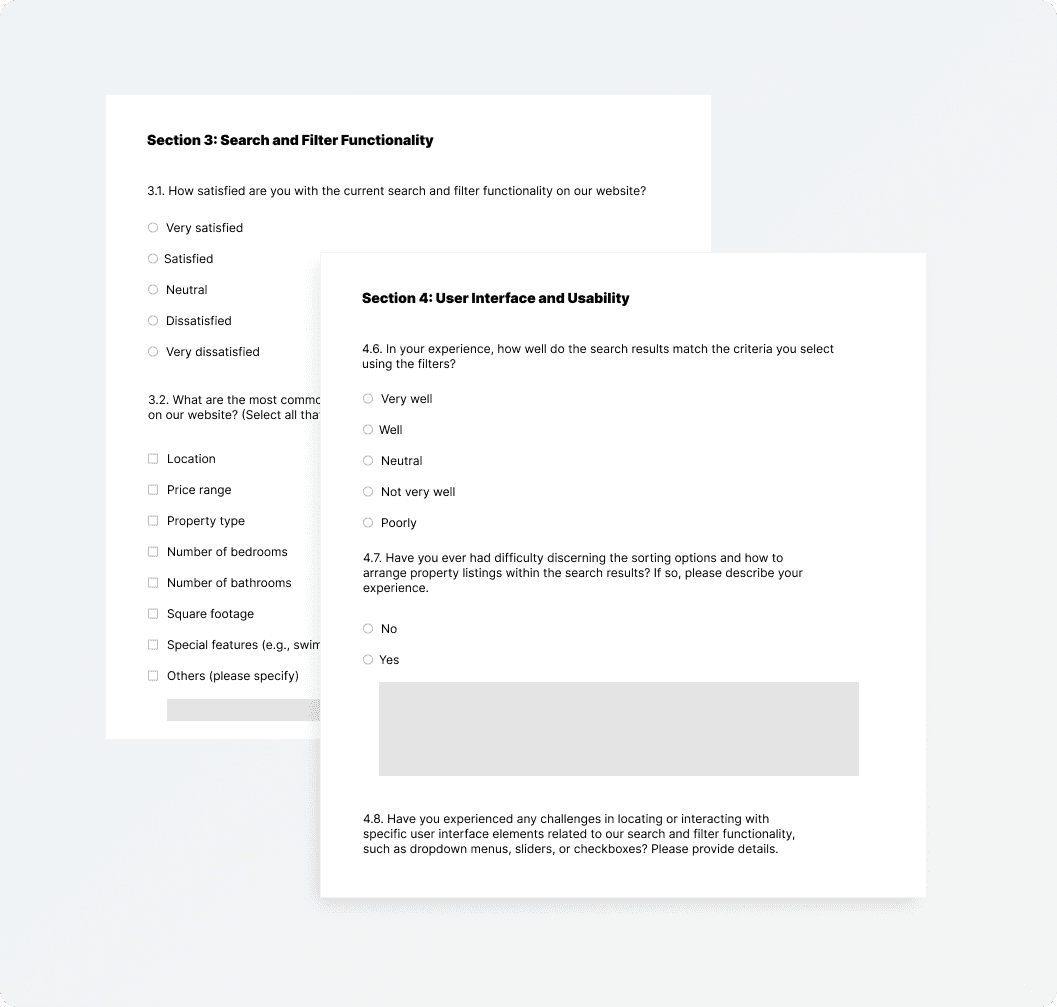
Internal data lacked the depth required for robust quantitative insights, so I scoped and ran surveys and interviews with 150 participants to explore real behaviours and preferences, and set up a centralised repository so findings stayed visible to the whole team throughout the project.
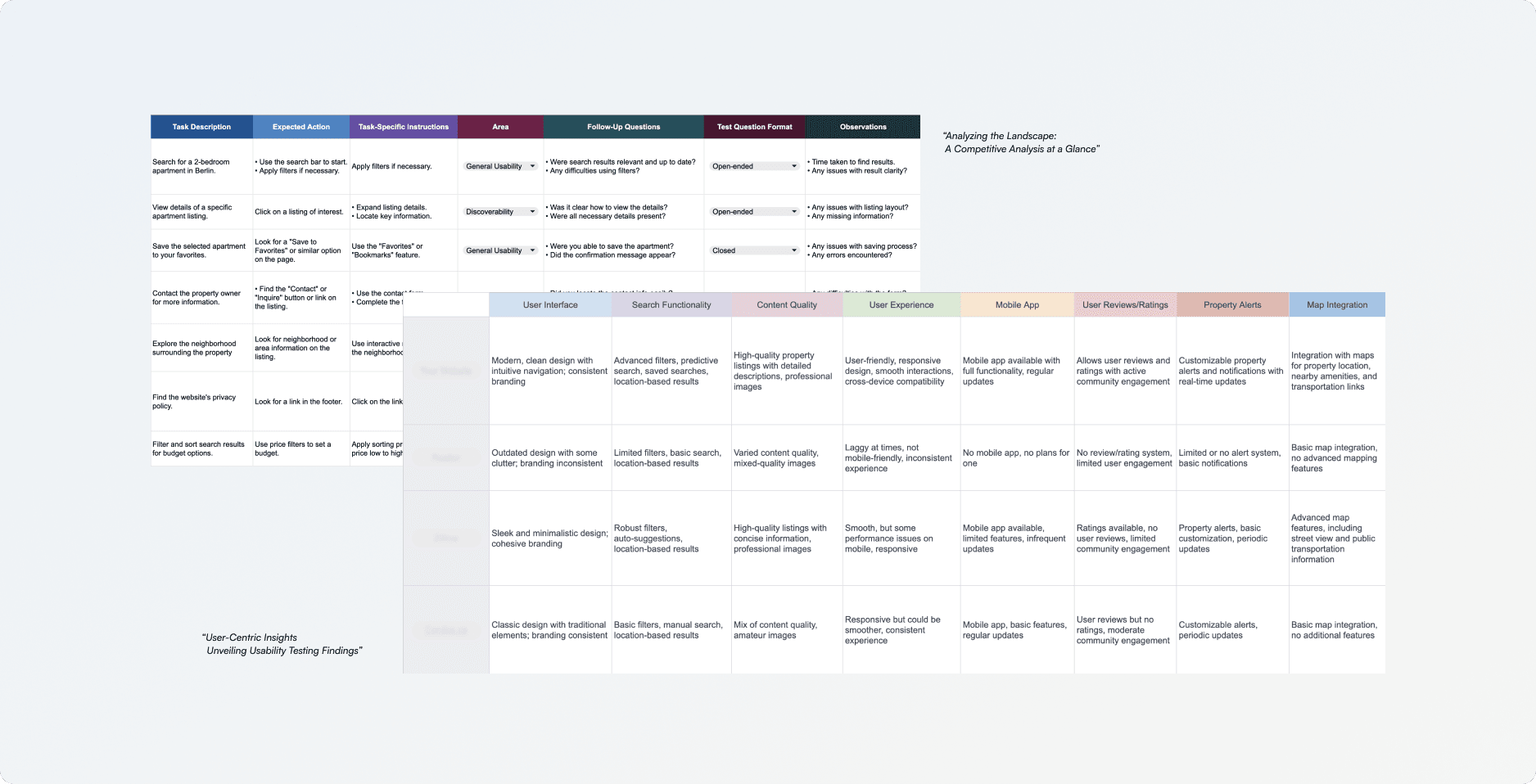
Market & Competitive Analysis
Explored market trends, competitive landscape, and industry insights to guide strategic decisions and position the product effectively while staying ahead in the evolving market.
Centralised Research Repository
Built a strong, centralised repository to organise findings and maintain institutional knowledge throughout the design process, keeping every team member aligned.
Surveys & User Interviews
Conducted surveys and in-depth interviews with 150 users. Internal data lacked depth, qualitative research bridged the gap and enriched decision-making with real user perspectives.
UX Metrics Setup
Established benchmarks to gauge user satisfaction, engagement, and overall experience, ensuring design solutions remained effective and responsive to evolving user needs.
Key Research Findings, 150 Participants
0%
reported difficulty finding relevant properties due to limited filter options
0%
found navigation unclear, causing them to abandon their search early
0%
expressed frustration with inconsistent property details, reducing trust
02, Define
Framing the Real Design Challenge
I synthesised the research with 150 participants into a single picture of who we were designing for, then distilled it into two behavioural themes and three core problems. Together they reframed a vague “improve search” brief into a focused, defensible design challenge.
Who I Designed For
The Decisive Searcher
Primary persona, synthesised from interviews & survey data
Researches mostly on mobile, often in short bursts between other commitments. They arrive with specific criteria, budget, location, must-have features, and expect the tool to narrow the field quickly. They abandon the moment a platform feels untrustworthy or makes them work to compare options.
Goal
Find genuinely relevant properties fast, without second-guessing the listings.
Frustration
Broad filters, inconsistent details, and a mobile experience that fights back.
Two Behavioural Themes
Property Discovery
Users often face difficulties in locating properties that align with their preferences due to inconsistent data quality and limited filtering options. Property information quality and completeness vary widely across listings, causing trust issues and user frustration.
Search & Filtering
Users struggle with the current search and filtering options, which are complex and less user-friendly, resulting in confusion and reduced engagement. Streamlining search filters and allowing users to define specific criteria are key to delivering precise results.
Before · The Legacy Experience
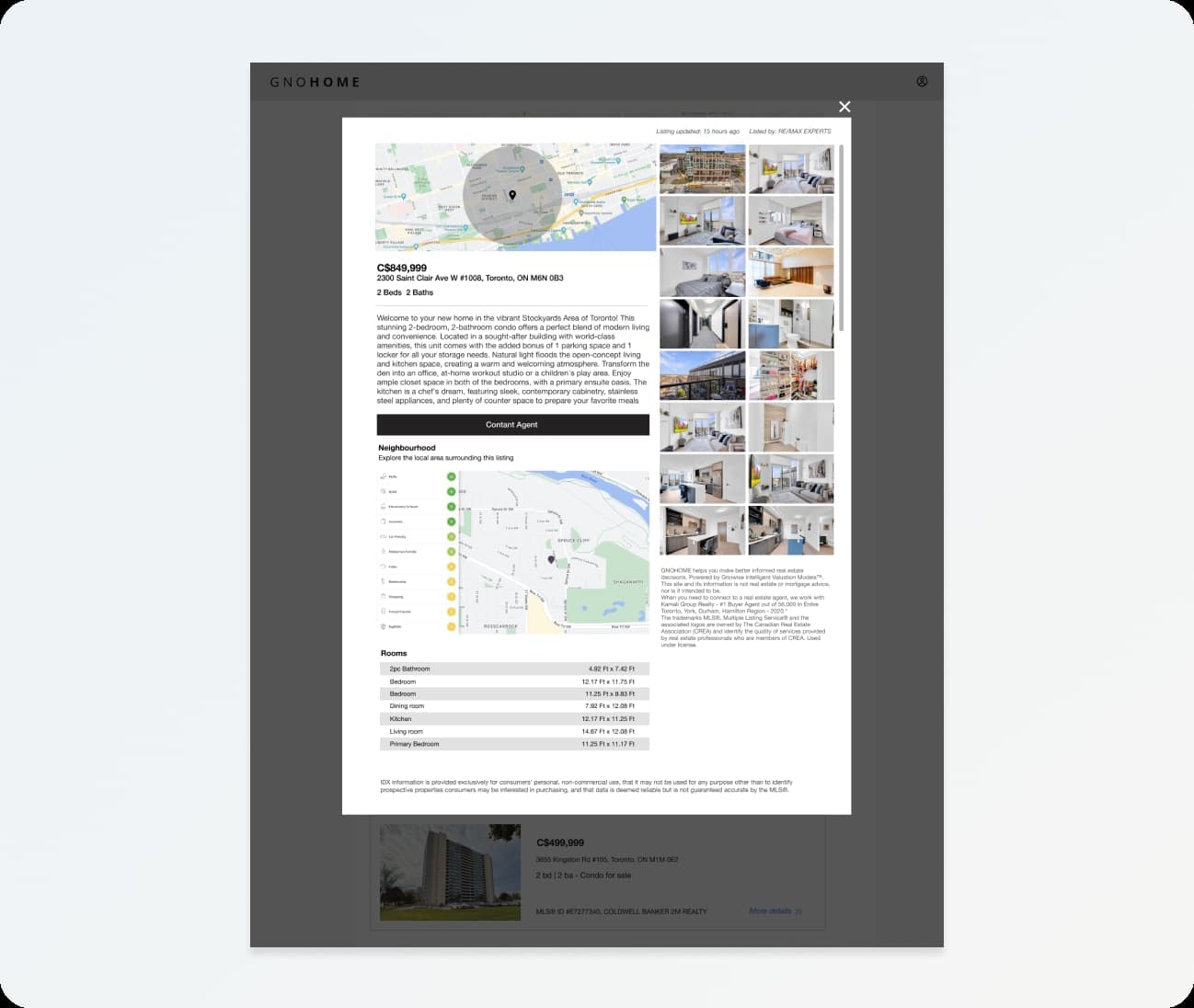
Cluttered Content Chaos: The “Before” Snapshot
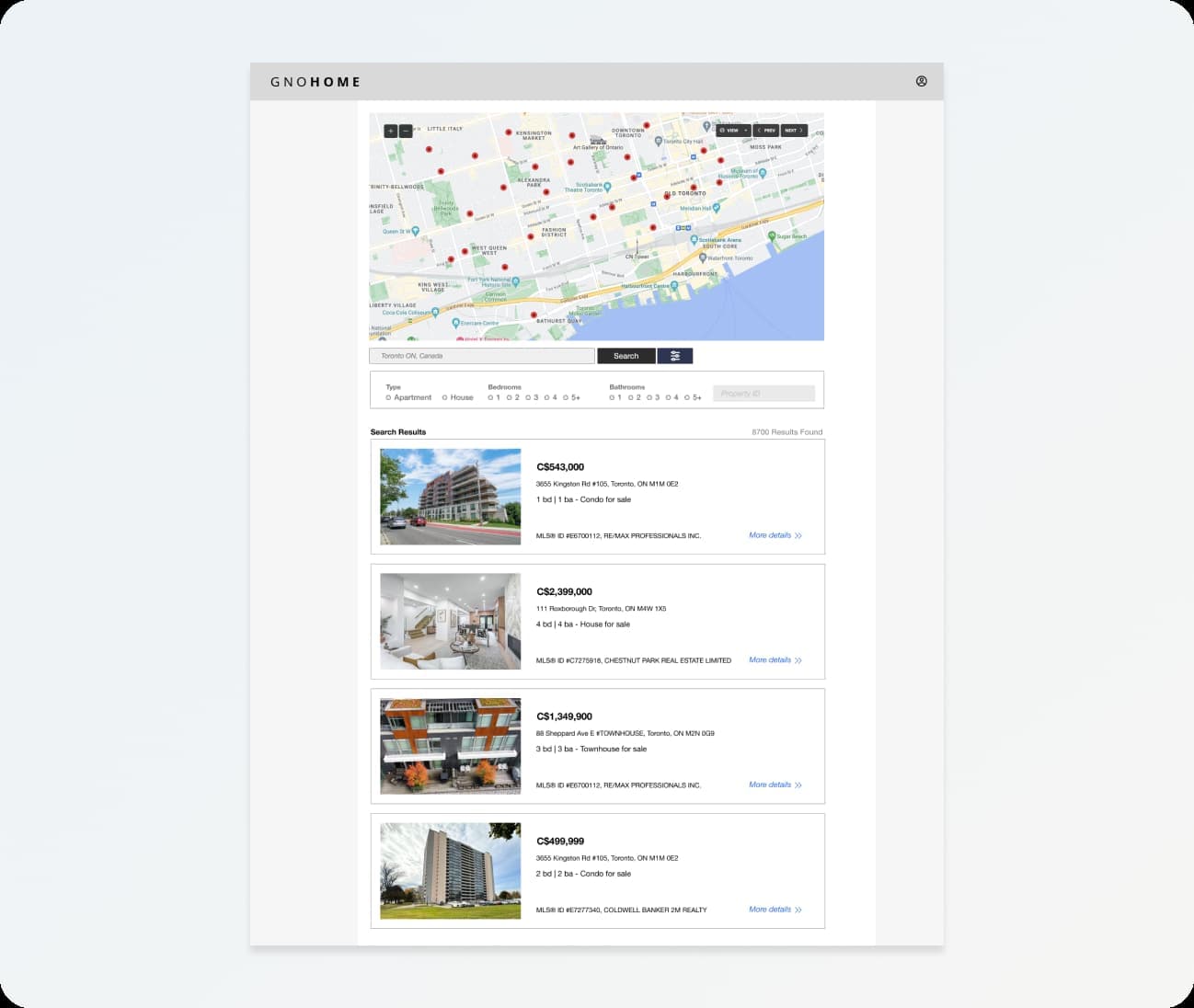
Content Without Priority: The “Before” Snapshot
Three Core Problems · Click to Explore
Design Challenges
How Might We
“How might we simplify the property discovery process, making it more efficient and enjoyable for users?”
How Might We
“How might we refine and optimize search filters to ensure users can precisely and effortlessly find the properties that match their specific preferences and criteria?”
03, Design Strategy
Building from User Needs Up
I anchored the strategy in Aaron Walter's hierarchy of user needs and made a deliberate sequencing call: fix functionality and reliability first, earn trust, and only then invest in delight. It kept the team aligned on what to build now versus later. Click each tier to see the decision I made at each layer.
Aaron Walter's Hierarchy, Click Each Tier to Expand
04, Design
From Sketches to High-Fidelity Solutions
Through early collaboration with developers, I proactively addressed potential challenges, reducing the likelihood of unexpected technical limitations during implementation. A collaborative sketching session with design, engineering, and product generated ideas for enhancing the search result page.
Process Note
The previous search section had inconsistent UX resulting in user confusion and suboptimal usability. I ran a collaborative sketching session with design, engineering, and product focused on contextual UX that prominently features search locations, accessible seamlessly from any page, with the goal of removing friction from every step of the discovery process.
Constraints & Tradeoffs
Legacy data
Listings couldn't all be re-entered, so I designed the card system to degrade gracefully when fields were missing rather than blocking on perfect data.
Engineering effort
Real-time filtering was costly, so I phased it: ship the high-impact criteria filters first, defer pleasurable extras to a later release.
Stakeholder pull
The business wanted more promoted listings up front. I pushed back with the trust findings and reached a compromise that protected the comparison experience.
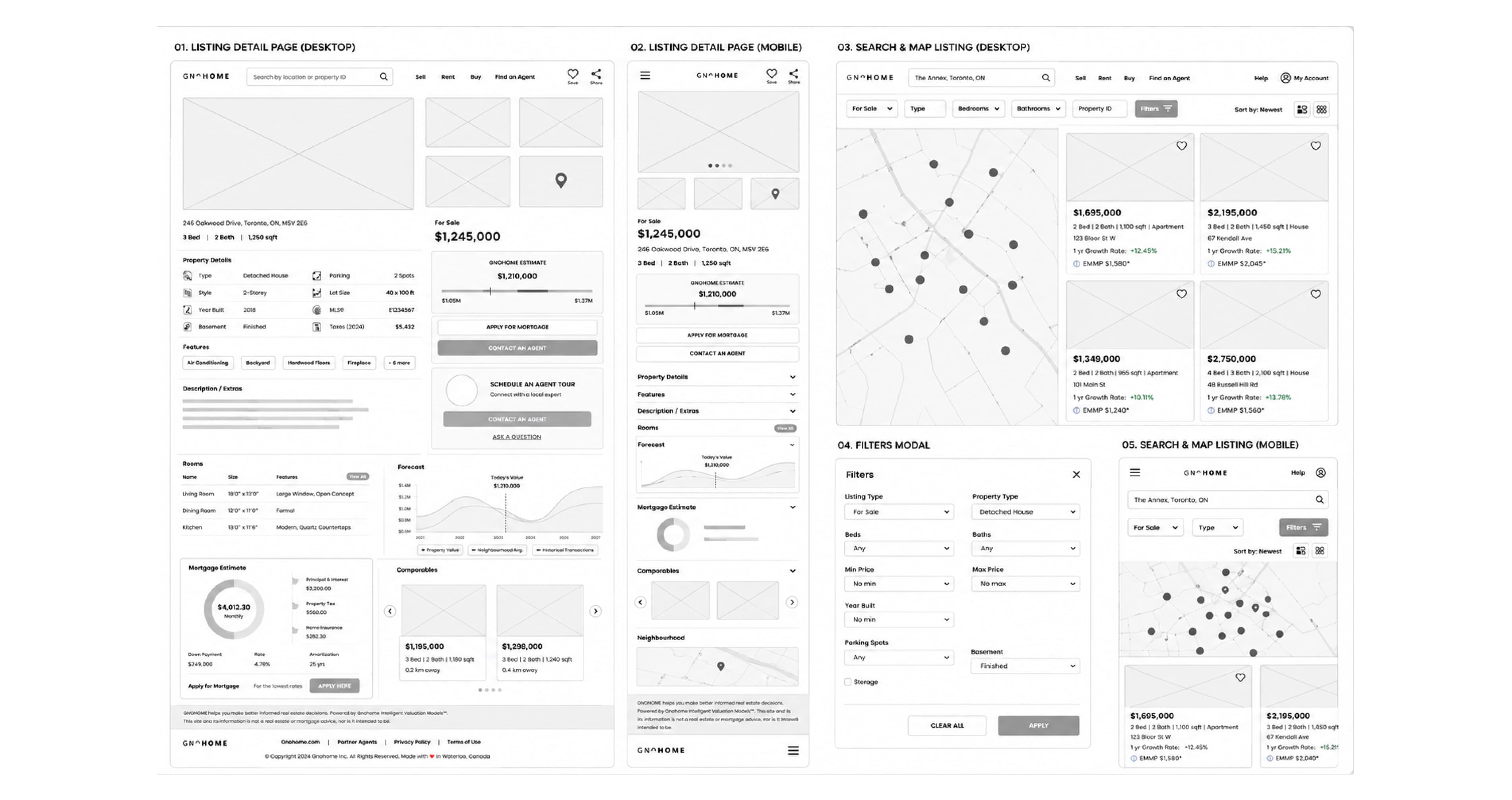
Low Fidelity
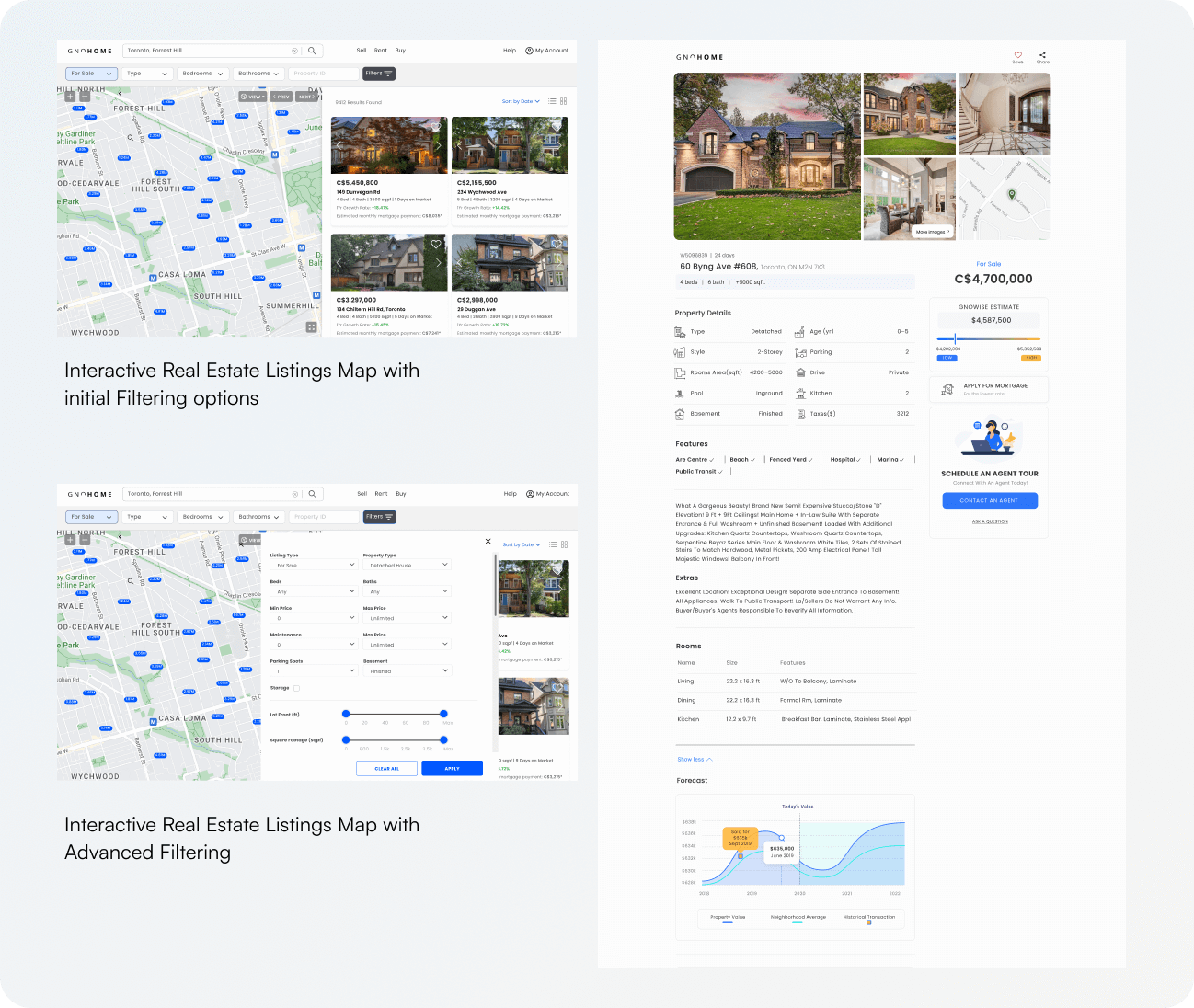
Delivering Experience That Is Contextually Relevant
To tackle the design challenge, focus was placed on creating contextual UX that prominently features search locations, accessible seamlessly from any page.
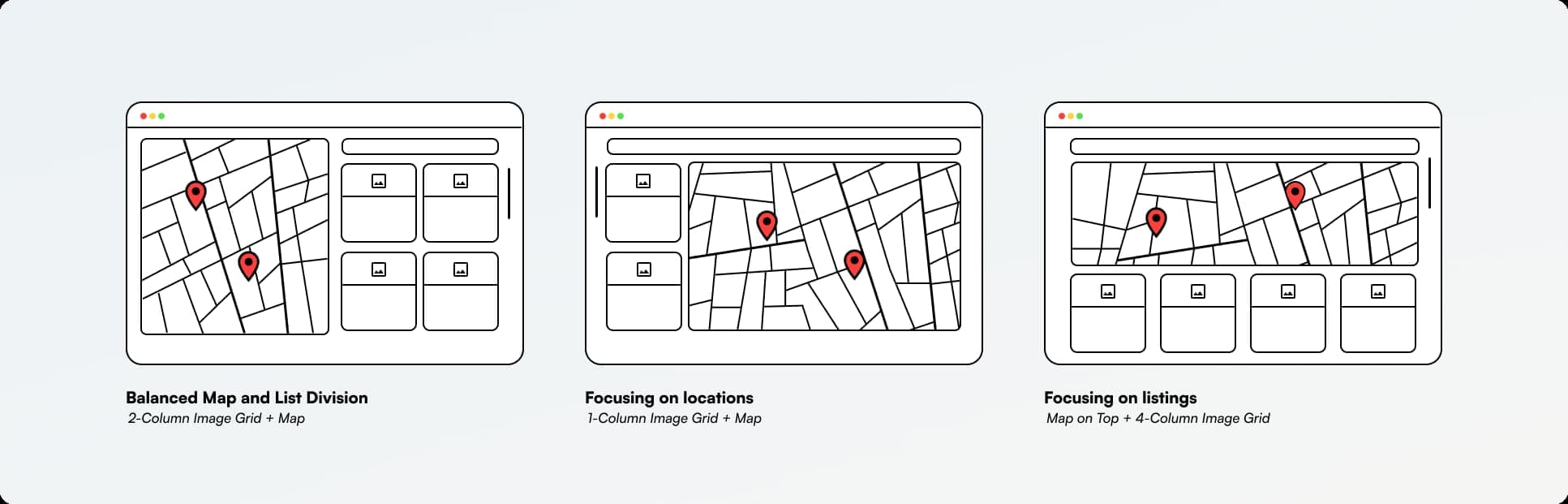
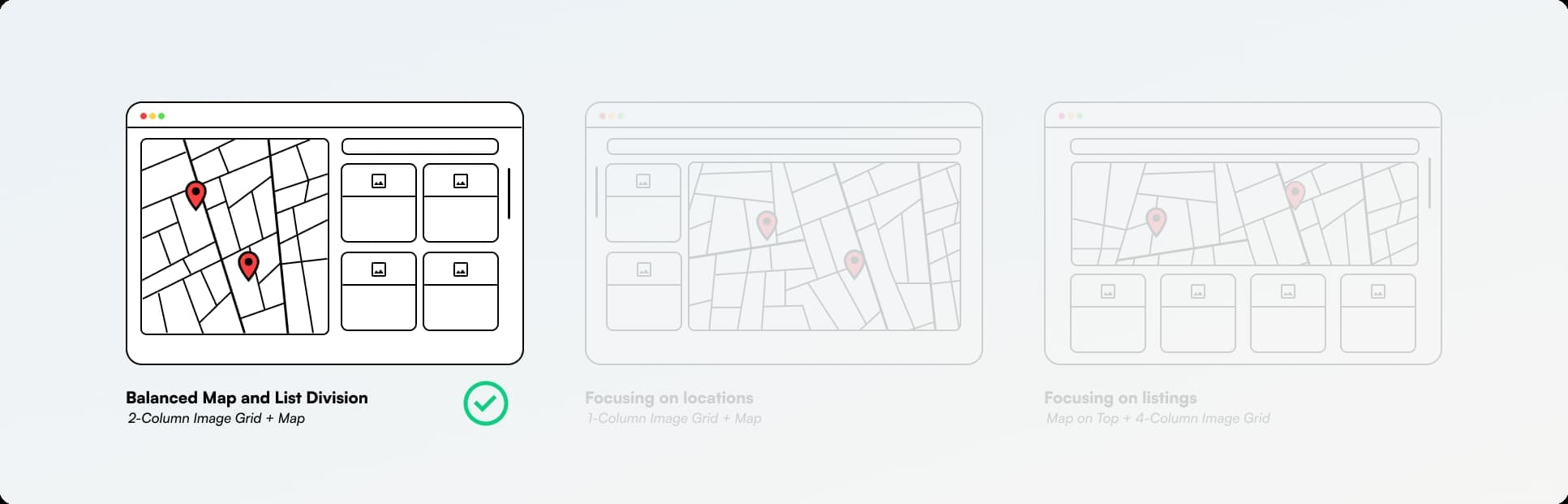
How I Reshaped the Search Experience
Three decisions did most of the heavy lifting. For each, I weighed the research against engineering cost and the trust problem we were solving, and chose deliberately, including the easier options I chose not to ship.
Criteria-led filters over a single search bar
Testing showed users arrived with specific, non-negotiable criteria. Structured filters let them narrow the field in one pass instead of refining a vague query repeatedly.
Alternative I rejected
A Google-style single search bar tested as faster to build but pushed cognitive load onto the user and hid the criteria they cared about most.
Contextual search accessible from any page
Users lost their place when they had to return to a dedicated search screen. Persistent contextual search kept momentum and matched the in-bursts mobile behaviour we saw in research.
Alternative I rejected
A dedicated, full-screen search step was cleaner visually but broke the discovery flow and added a tap on the device 60% of users were on.
Standardised listing cards with data-quality cues
Inconsistent listings were the top driver of distrust. A fixed card structure made properties genuinely comparable and signalled which listings were complete and verified.
Alternative I rejected
Letting agents style their own listings preserved flexibility but reproduced the exact inconsistency that was eroding trust.
High Fidelity
Figma was used to create detailed designs forming the basis for interaction prototypes, vital for usability testing and gathering user insights. I synthesized data from user interviews and usability tests to shape the ideal search filter structure, informing revised wireframes and prioritising additional functionalities for future iterations.
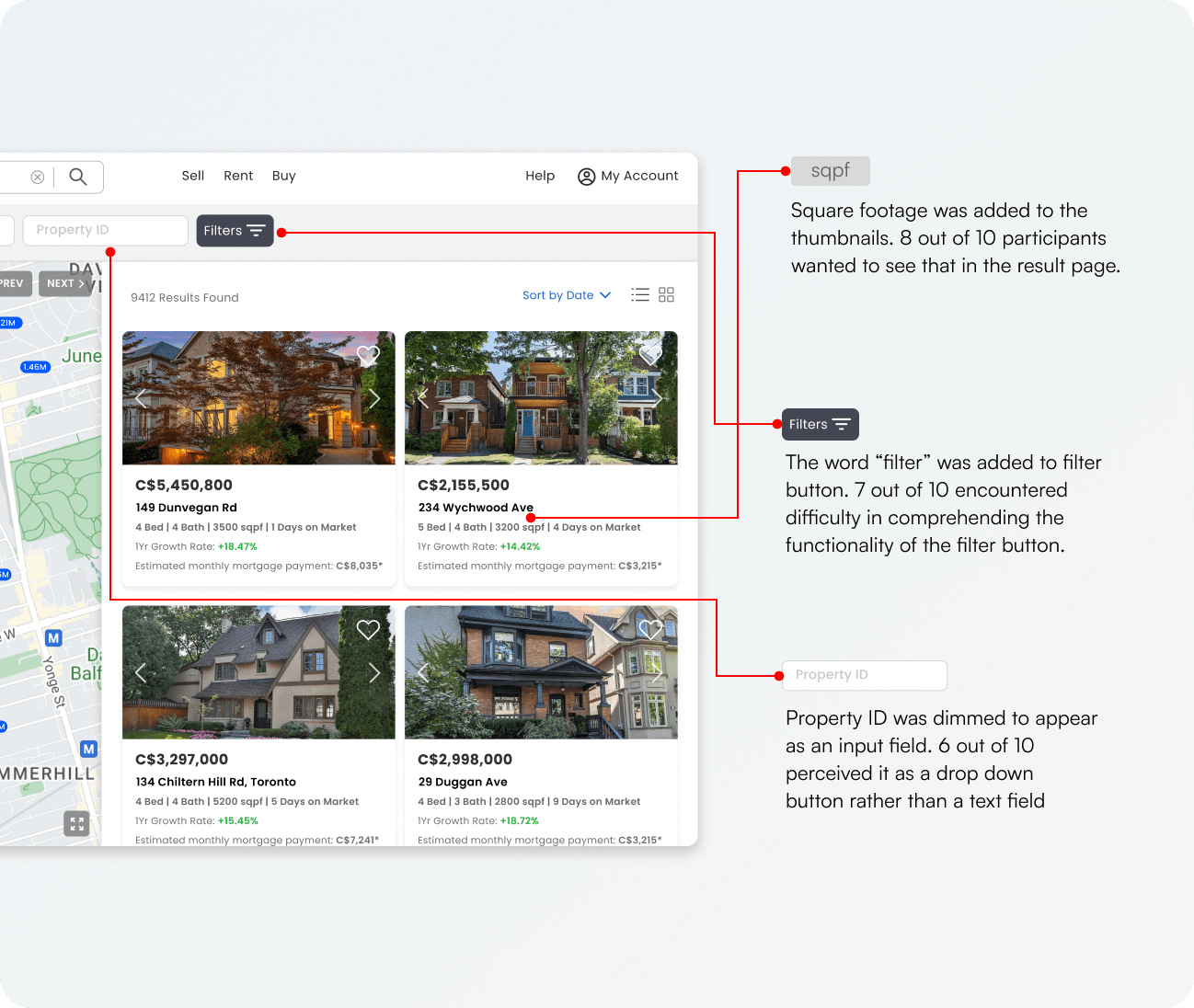
Usability Testing Findings
Clickable Areas
Most users had a tendency to click on the property listing's case name. Some attempted to interact with paragraphs within listings to navigate to full property details. We introduced a hover state for paragraphs to address this behaviour and enhance clarity.
Sorting Options
Users expressed varied preferences regarding sorting controls. Some needed more prominent and intuitive sorting options, particularly when comparing listings, underscoring the importance of flexible sorting to cater to diverse preferences.
05, Deliver
A Platform That Works for Its Users
The real estate marketplace project concluded with an advanced platform that harmoniously integrates high-fidelity design and robust functionality. Real-time updates and enhanced search capabilities ensure users enjoy an intuitive and effective property search. Positive user feedback attests to the success of our collaborative efforts in overcoming challenges and setting a new standard in the digital real estate landscape.
After · The Redesigned Search Experience
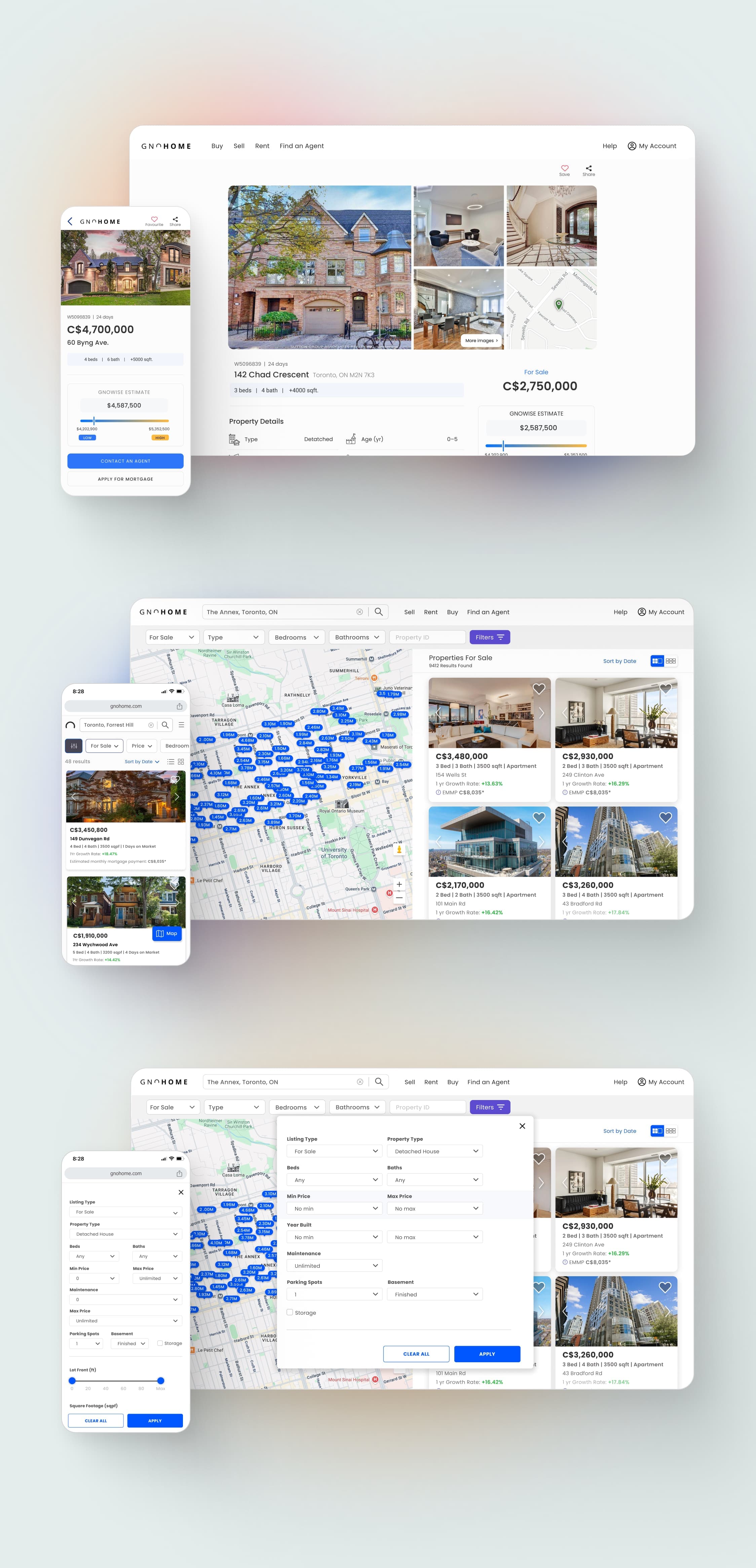
The same screens, rebuilt around criteria-led filters, contextual search, and standardised, comparable listings, the direct answer to the three core problems framed earlier.
Results & Impact
These outcomes were tracked against the UX benchmarks I defined during Discovery, measured over the first 90 days post-launch and compared to the pre-redesign baseline using product analytics and a post-launch satisfaction survey. The search redesign drove gains across both the engagement and conversion funnel.
0%
Engagement
Increase in average session duration
0%
Conversion
Rise in property inquiry conversion rate
0%
Task Efficiency
Faster relevant property discovery
0%
Mobile
Growth in mobile user engagement
0%
Retention
Increase in returning users
0%
Satisfaction
Growth in user feedback & ratings
Source: Gnohome product analytics and post-launch user survey, 90 days after release vs. the prior quarter. Percentages reflect relative change from baseline.
“The recently launched Gnohome website received many positive responses from users, significantly contributing to the success of the business, the UX improvements elevated user satisfaction and positively impacted every key business metric.”
What I'd Do Differently
If I ran this again, I'd instrument the search funnel with event tracking before the redesign shipped, not after. We inferred a lot from interviews and the legacy analytics we had, but a clean pre/post baseline on filter usage would have let me prove causation, not just correlation, on the conversion lift.
I'd also validate the “contextual search from any page” pattern with a lightweight A/B test rather than relying on moderated usability sessions alone. It tested well qualitatively, but with mobile driving 60% of traffic, I'd want quantitative confidence before committing engineering effort at that scale.